
- Calories
- 372 kcal
- Protein
- 13.5 g
- Carbs
- 58.7 g
- Fat
- 7 g
Early access habmate is not public yet.
habmateApps The appshabmateHabits, routines and challenges. Your day in one ring.GymEnter weight and reps, check it off.RunRecord a run or enter it in twenty seconds.NutritionDaily target, barcode scan and recipes with nutrition.CoachThe AI coach drafts your week, and you decide.LearnWhat you hear, read and watch, as a log with review.Who it’s for By goalRunnersEvery run counts toward your week.Strength & gymWeight, reps, checkmark.Habits & focusKeep going without fearing the one missed day.NutritionYour daily target, without guessing.All in oneTraining, food and habits on one day.Hybrid athletesStrength and endurance in one week.Lifelong learningWhat you hear and read stays with you.With a coachYou share access and see every look.All audiences →CoachesBrandsPrinciples
habmate NutritionNutrition
Eat smarter without guessing.
Your daily target, calculated from your weight and training, fills up with what you eat. A scan tells you what’s in a product, and every recipe comes with its nutrition.
habmate Nutrition isn’t in the App Store yet. We’ll let you know as soon as you can start.
Runs oniPhoneWeb, inside habmate
Example1,420 of 2,100 kcal daily target
- macros in your daily target: protein, carbs, fat
- 3
- recipe filters: vegan, vegetarian, lactose-free, gluten-free
- 4
- search across what you ate, foods, products and recipes
- 1
From the recipe catalog
From breakfast to dinner before the long run.
60 recipes, each with nutrition and cooking mode, the fastest done in 2 minutes. Photos and numbers come straight from the app.
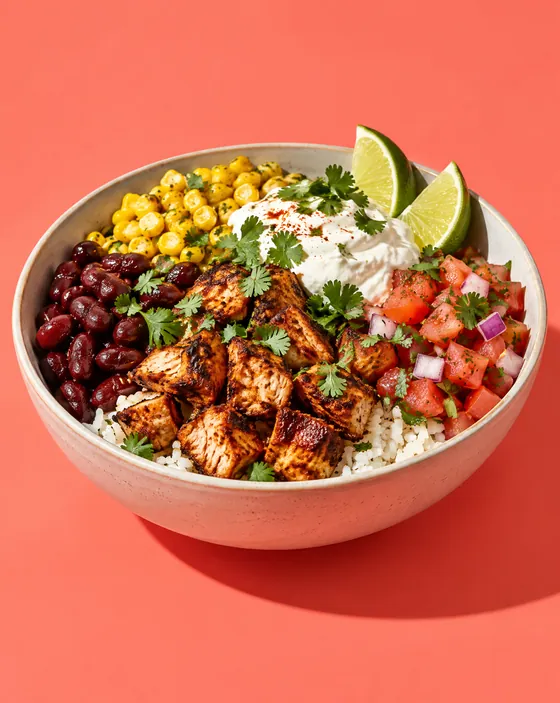
BBQ chicken burrito bowl
720 kcal55 g Protein40 Min.
 Vegetarian
Strawberry skyr tiramisu
340 kcal30 g Protein15 Min.

Chicken curry bowl
660 kcal52 g Protein40 Min.
 Vegetarian
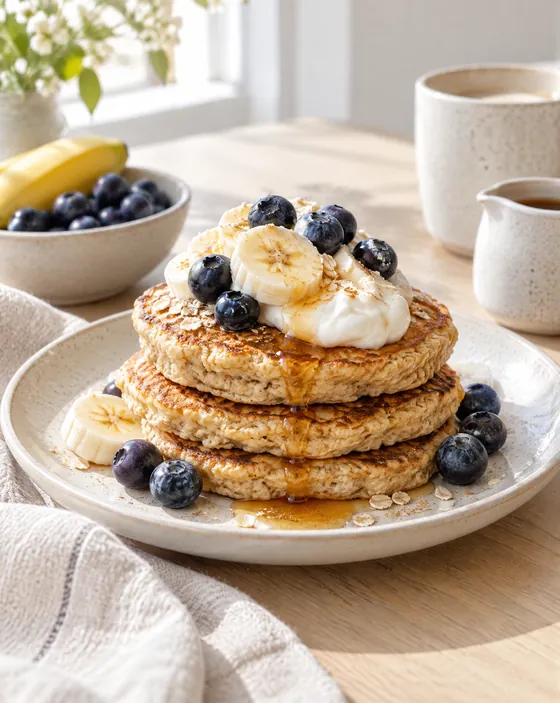
Banana oat protein pancakes
720 kcal52 g Protein25 Min.
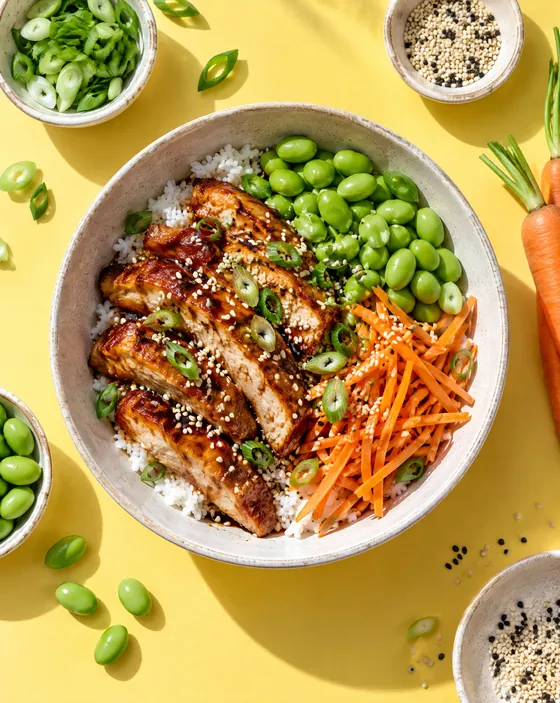
Teriyaki turkey with rice and edamame
620 kcal55 g Protein25 Min.
 Vegetarian
Warm berry crumble with vanilla quark
420 kcal32 g Protein35 Min.
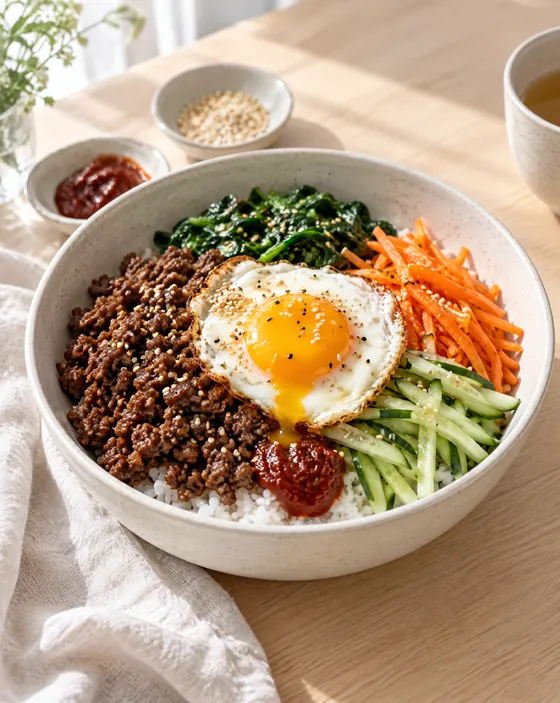
Beef bibimbap bowl
690 kcal50 g Protein40 Min.
 Vegetarian
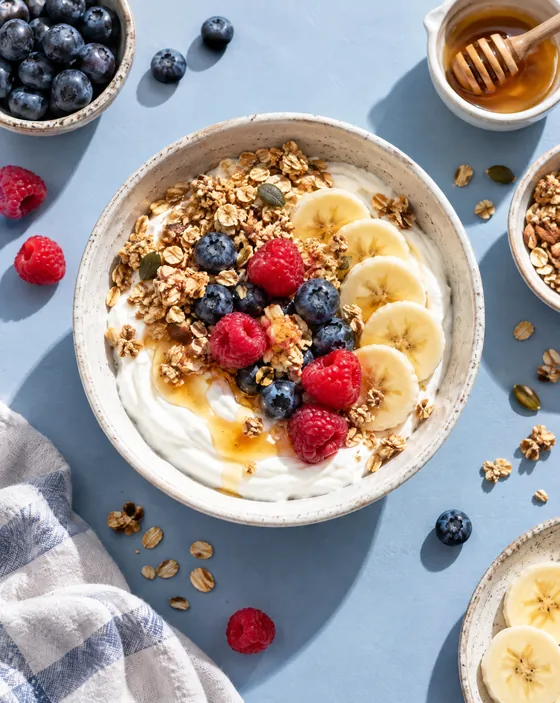
Skyr berry bowl with granola
780 kcal58 g Protein3 Min.
 Vegetarian
Shakshuka with feta and chickpeas
620 kcal37 g Protein30 Min.

Gnocchi skillet with tomato and turkey
920 kcal55 g Protein17 Min.
One day
From the first scan to a full daily target.
You scan a barcode at the store and see right away what’s in the product. Eat it, and it counts toward your daily target.
- 01
Scan and read the rating.
You scan the barcode and the product gets a rating based on fixed rules. If data is missing, the rating is never green.
- 02
The nutrition at a glance.
Calories, protein, carbs and fat per 100 grams sit underneath, each number in its own color.
- 03
Your daily target fills up.
What you eat fills the rings toward your daily target. habmate Nutrition calculates that target from your weight and your training, and explains every line of it.
After you eat
What you eat counts in other places too.
An entry in habmate Nutrition doesn’t stay put. It goes to Apple Health and can check off a habit in habmate. And on lifting days, your training in habmate Gym raises your protein target.
habmate Nutrition
An entry with calories and macros, counted toward your daily target.
- habmateA habit tied to your nutrition checks itself off when you scan or cook a meal.
- Apple HealthEvery entry goes to Apple Health with its calories and protein.
- habmate GymThe other way around: on days you lift, habmate Nutrition adds more protein to your target.
Daily target
Every number in your target is explained.
Your daily target comes from your weight and training, with more protein on lifting days. Each line tells you where it comes from.
macros against your daily target: protein, carbs, fat
Features
From the grocery store to your plate.
You plan the week, shop from the list and cook one step at a time. Whatever you eat ends up in your food log.
Recipes with calculated nutrition
Every recipe in the catalog comes with its nutrition, calculated from the German Nutrient Database (BLS 4.0). Save recipes and filter by vegan, vegetarian, lactose-free or gluten-free.
Weekly plan with shopping list
Plan your week with recipes and the shopping list builds itself from it.
Cooking mode
While you cook, the recipe only shows the step you’re on.
Snap a meal
For a dish without a barcode, habmate Nutrition estimates the nutrition from a photo. Nothing is saved until you confirm the estimate.
A daily target that explains itself
Each line of your daily target says where it comes from: your weight, your training or a lifting day.
Also
One search for everything
One search finds what you ate, plus foods, products and recipes.
Missing data is never green
If habmate Nutrition knows too little about a product, the rating says exactly that.
Not a diet program
habmate Nutrition shows you numbers and recipes. It doesn’t promise weight loss and doesn’t replace a nutrition professional.
Platforms
In the kitchen and at your desk.
habmate Nutrition is an iPhone app. On the web, scanning and recipes live in habmate under “Food”.
iPhone
The whole app
On iPhone you get everything: food log, scan, photo, recipes, cooking mode and weekly plan. Every entry goes to Apple Health.
- Barcode scan
- Cooking mode
- Apple Health
Web
Inside habmate
On the web, scanning and recipes sit in habmate under “Food”. habmate Nutrition has no web app of its own.
- Scan
- Recipes
Coach in habmate Nutrition
A meal plan as a draft.
The same coach as in the other apps, and it knows you’re asking from the kitchen. It drafts a meal plan for your week, and you decide what to keep.
- habmate
- Gym
- Run
- Nutrition
A plan for your week
The coach suggests a plan. You look it over and accept or discard it.
It never logs for you
The coach never writes to your food log. You log what you eat yourself.
The coach doesn’t give medical nutrition advice and doesn’t diagnose anything.
Questions
Quick answers.
Question not here? Join the waitlist and you’ll hear from us as soon as we launch.
Where does my daily target come from?
habmate Nutrition calculates it from your weight and your training. On lifting days the protein target is higher. Every line of the target tells you what it’s based on.
Will habmate Nutrition help me lose weight?
habmate Nutrition shows you what you eat and what a product contains. It isn’t a weight-loss program, and it doesn’t replace advice from a doctor or a nutrition professional.
How is the scan rating decided?
By fixed rules that apply the same way to every product. If information is missing, the rating won’t be green.
Is habmate Nutrition on the web?
Not as its own app. On the web, scanning and recipes are in habmate under “Food”, with the same account.
More from habmate
Add the apps that help you next.
One account gets you into every habmate app. Add what fits your goal and leave out what you don’t need.
habmate · WaitlistEarly access
Eat smarter, starting with your first scan.
Be there from the start.
We’ll get in touch as soon as you can start. The apps aren’t in the stores yet.
Next we’ll ask for your name and consent. You’re only on the list after you click the link in our confirmation email.